EUDR Compliance FAQ: Importers, Risk Assessment & Supply Chain Data

Blog
Last edited: March 6, 2026
Read time 7 min.

Importers joining our EUDR webinar series keep asking the right questions: sharp, practical ones that go beyond regulatory theory and into real implementation. Building on our first EUDR FAQ post covering First Operators and Due Diligence Statements, this second post tackles what came up most in our importer sessions: how risk is assessed, what data you need from suppliers, and how compliance data moves across complex supply chains. 

osapiens HUB for EUDR covers all risk dimensions required by the EU Deforestation Regulation. This includes both: 

  • Deforestation and forest degradation risk, and 
  • Legal risk, meaning whether commodities were produced in line with relevant laws in the country of origin. 

To do this, osapiens HUB for EUDR uses a wide range of trusted data sources and performs an automated legal compliance check based on EUDR requirements. These sources include national and regional statistics, geo-referenced risk data, and publications from governments and NGOs, covering areas such as child labor, taxation, and corruption. 

If increased risk is detected, the system also considers risk-mitigating factors such as recognized product or supplier certifications (e.g. FSC, PEFC, Rainforest Alliance) or previously completed supplier questionnaires. 

The legal risk assessment is fully embedded into the due diligence workflow and continuously updated in line with regulatory guidance, input from legal experts, and the latest available data sources. 

2. What data is required from suppliers to be EUDR-compliant?

As an importer, you gather specific details about each product or batch from your suppliers, including: 

  • The geolocation of the production site 
  • The harvesting or production dates 
  • For wood products: the exact species name 

Additionally, you obtain any supporting evidence demonstrating that the products are deforestation-free and comply with all relevant legal requirements. The exact scope depends on your role in the supply chain and the products involved. 
 
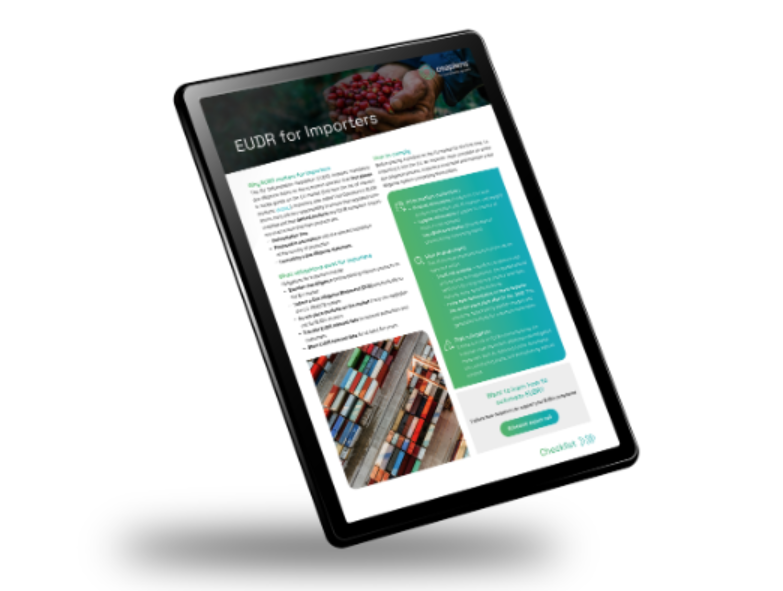
-> Not sure where to start with data collection? Our EUDR Checklist for Importers walks you through every step, from geolocation capture to supplier data requests and risk evaluation, so you can close data gaps fast and build a repeatable process across your supplier base. 
3. What happens if a risky plot is detected? 

If a risky plot is detected, osapiens automatically initiates a risk mitigation process. This includes sending out risk-specific questionnaires to your suppliers and collecting available certifications. 

If automated mitigation measures are not successful, the tool automatically alerts a responsible person in your organization and opens a case for further action. All risk mitigation steps are tracked in an integrated change log, keeping the process fully traceable for audits. 

The mitigation process enables you to: 

  • Collect additional evidence and documentation 
  • Collaborate directly with suppliers via the Supplier Portal 
  • Review satellite imagery and contextual information together with your supplier 
  • Document mitigation steps and outcomes 

Once resolved, mitigation outcomes can be reused (Case Management) for recurring scenarios, reducing repeated false positives and manual effort over time. 

4. Do I as a user get any results of the forest cover check? 

The deforestation analysis is fully automated and built into the end-to-end EUDR workflow. If no risk is found, the process continues automatically. If a risk is detected, automated mitigation steps are triggered. User action is only required in edge cases where those steps did not lead to risk reduction. 

At the same time, you always have visibility. osapiens presents the results of the deforestation analysis in a user-friendly visualization, including access to satellite imagery showing how a land plot has changed over time. For every plot, you can see: 

  • Whether forest was present at the cut-off date, including satellite imagery across time 
  • How the plot was classified under EUDR definitions 
  • Whether further analysis or mitigation is required 

This transparency supports defensible, audit-ready compliance decisions. 

5. How can my customer access the batch and DDS data if they already have an osapiens account? How is their osapiens account linked to the data we generate? 

If your customer has an osapiens account, data can be shared seamlessly via the osapiens Data Network. Suppliers can share EUDR assessments, DDS reference numbers, and product data directly with their connected customers. Data sharing happens from tenant to tenant and is controlled by explicit permissions. This is how your customer’s account is directly linked to the data you generate. 

This avoids duplicate data collection, improves consistency across the supply chain, and enables seamless data sharing without any additional integration or onboarding efforts. The direct exchange between osapiens systems means compliance data flows reliably across the entire supply chain, with no manual intervention required. 

6. How does osapiens HUB for EUDR work for companies with multiple ERP systems, and how is data collection, including purchase orders, handled across them? 

osapiens HUB for EUDR supports the parallel integration of multiple ERP systems. It enables the collection and exchange of key data across all of them, including product master data, purchase orders, supplier master data, and transactions, via: 

  • REST APIs 
  • Preconfigured ERP connectors (e.g. SAP) 
  • Structured templates 

This means that regardless of how many ERPs your organization runs, purchase orders and all relevant product and supplier data are automatically pulled into a single, centralized EUDR compliance process. No data gets lost between systems, and no manual consolidation is needed.  

In addition, the platform provides enterprise-grade capabilities for user access and rights management, data structuring, and governance. This allows companies with complex IT landscapes to centralize their EUDR compliance without disrupting existing infrastructure. 

-> Evaluating EUDR software? Our Strategic Guide to Selecting an EUDR Software covers the six critical dimensions to assess, from integration and automation to enterprise readiness and future-proofing. 
7. What steps are needed to import the results of your risk analysis into a company-specific risk management system? 

Risk assessment results can be exported or integrated via APIs into company-specific risk management systems, enabling organizations to: 

  • Align EUDR risk outcomes with existing governance frameworks 
  • Consolidate risk reporting across regulations 
  • Reuse EUDR data for internal audits and controls 

Still have EUDR questions? 

Join our free webinar series designed to give importers hands-on guidance at every stage of their EUDR journey: 

-> EUDR for First Operators is built specifically for importers. Each session dives into a core capability of the osapiens HUB, covering risk analysis with satellite inputs, ERP connectivity, supplier engagement, and automated workflows. Expect live feature walk-throughs, practical checklists, and real customer perspectives. 

-> EUDR Readiness 2026 is your ongoing touchpoint for everything that’s changing. Each monthly session focuses on the most current EUDR developments: clarifications, emerging patterns, and what actually matters for your planning right now. The agenda is updated before every session to reflect what’s most relevant. 


Importers joining our EUDR webinar series keep asking the right questions: sharp, practical ones that go beyond regulatory theory and into real implementation. Building on our first EUDR FAQ post covering First Operators and Due Diligence Statements, this second post tackles what came up most in our importer sessions: how risk is assessed, what data you need from suppliers, and how compliance data moves across complex supply chains. 

osapiens HUB for EUDR covers all risk dimensions required by the EU Deforestation Regulation. This includes both: 

  • Deforestation and forest degradation risk, and 
  • Legal risk, meaning whether commodities were produced in line with relevant laws in the country of origin. 

To do this, osapiens HUB for EUDR uses a wide range of trusted data sources and performs an automated legal compliance check based on EUDR requirements. These sources include national and regional statistics, geo-referenced risk data, and publications from governments and NGOs, covering areas such as child labor, taxation, and corruption. 

If increased risk is detected, the system also considers risk-mitigating factors such as recognized product or supplier certifications (e.g. FSC, PEFC, Rainforest Alliance) or previously completed supplier questionnaires. 

The legal risk assessment is fully embedded into the due diligence workflow and continuously updated in line with regulatory guidance, input from legal experts, and the latest available data sources. 

2. What data is required from suppliers to be EUDR-compliant?

As an importer, you gather specific details about each product or batch from your suppliers, including: 

  • The geolocation of the production site 
  • The harvesting or production dates 
  • For wood products: the exact species name 

Additionally, you obtain any supporting evidence demonstrating that the products are deforestation-free and comply with all relevant legal requirements. The exact scope depends on your role in the supply chain and the products involved. 
 
-> Not sure where to start with data collection? Our EUDR Checklist for Importers walks you through every step, from geolocation capture to supplier data requests and risk evaluation, so you can close data gaps fast and build a repeatable process across your supplier base. 

3. What happens if a risky plot is detected? 

If a risky plot is detected, osapiens automatically initiates a risk mitigation process. This includes sending out risk-specific questionnaires to your suppliers and collecting available certifications. 

If automated mitigation measures are not successful, the tool automatically alerts a responsible person in your organization and opens a case for further action. All risk mitigation steps are tracked in an integrated change log, keeping the process fully traceable for audits. 

The mitigation process enables you to: 

  • Collect additional evidence and documentation 
  • Collaborate directly with suppliers via the Supplier Portal 
  • Review satellite imagery and contextual information together with your supplier 
  • Document mitigation steps and outcomes 

Once resolved, mitigation outcomes can be reused (Case Management) for recurring scenarios, reducing repeated false positives and manual effort over time. 

4. Do I as a user get any results of the forest cover check? 

The deforestation analysis is fully automated and built into the end-to-end EUDR workflow. If no risk is found, the process continues automatically. If a risk is detected, automated mitigation steps are triggered. User action is only required in edge cases where those steps did not lead to risk reduction. 

At the same time, you always have visibility. osapiens presents the results of the deforestation analysis in a user-friendly visualization, including access to satellite imagery showing how a land plot has changed over time. For every plot, you can see: 

  • Whether forest was present at the cut-off date, including satellite imagery across time 
  • How the plot was classified under EUDR definitions 
  • Whether further analysis or mitigation is required 

This transparency supports defensible, audit-ready compliance decisions. 

5. How can my customer access the batch and DDS data if they already have an osapiens account? How is their osapiens account linked to the data we generate? 

If your customer has an osapiens account, data can be shared seamlessly via the osapiens Data Network. Suppliers can share EUDR assessments, DDS reference numbers, and product data directly with their connected customers. Data sharing happens from tenant to tenant and is controlled by explicit permissions. This is how your customer’s account is directly linked to the data you generate. 

This avoids duplicate data collection, improves consistency across the supply chain, and enables seamless data sharing without any additional integration or onboarding efforts. The direct exchange between osapiens systems means compliance data flows reliably across the entire supply chain, with no manual intervention required. 

6. How does osapiens HUB for EUDR work for companies with multiple ERP systems, and how is data collection, including purchase orders, handled across them? 

osapiens HUB for EUDR supports the parallel integration of multiple ERP systems. It enables the collection and exchange of key data across all of them, including product master data, purchase orders, supplier master data, and transactions, via: 

  • REST APIs 
  • Preconfigured ERP connectors (e.g. SAP) 
  • Structured templates 

This means that regardless of how many ERPs your organization runs, purchase orders and all relevant product and supplier data are automatically pulled into a single, centralized EUDR compliance process. No data gets lost between systems, and no manual consolidation is needed.  

In addition, the platform provides enterprise-grade capabilities for user access and rights management, data structuring, and governance. This allows companies with complex IT landscapes to centralize their EUDR compliance without disrupting existing infrastructure. 

-> Evaluating EUDR software? Our Strategic Guide to Selecting an EUDR Software covers the six critical dimensions to assess, from integration and automation to enterprise readiness and future-proofing. 

7. What steps are needed to import the results of your risk analysis into a company-specific risk management system? 

Risk assessment results can be exported or integrated via APIs into company-specific risk management systems, enabling organizations to: 

  • Align EUDR risk outcomes with existing governance frameworks 
  • Consolidate risk reporting across regulations 
  • Reuse EUDR data for internal audits and controls 

Still have EUDR questions? 

Join our free webinar series designed to give importers hands-on guidance at every stage of their EUDR journey: 

-> EUDR for First Operators is built specifically for importers. Each session dives into a core capability of the osapiens HUB, covering risk analysis with satellite inputs, ERP connectivity, supplier engagement, and automated workflows. Expect live feature walk-throughs, practical checklists, and real customer perspectives. 

-> EUDR Readiness 2026 is your ongoing touchpoint for everything that’s changing. Each monthly session focuses on the most current EUDR developments: clarifications, emerging patterns, and what actually matters for your planning right now. The agenda is updated before every session to reflect what’s most relevant.